
Why Rebooting Actually Fixes Things Sometimes
One of the most common conversations in technology support goes something like this:
Client: “The printer isn’t working.”
IT person: “Did you reboot?”
Client: “Yes.”
IT Person: “Really?”
Client: “…No…..but.”
A few minutes later the computer restarts, the printer comes back to life, and everyone is mildly annoyed that the IT person was right.
At that point most people assume one of two things. Either IT professionals possess some kind of secret knowledge, or computers are held together with duct tape and dreams.
The truth is a little less exciting.
Computers are constantly juggling thousands of tasks at once. Every patient record, email, internet tab, printer job, imaging study, and software update requires the operating system to manage resources and coordinate communication between dozens of moving parts. Most of the time those parts work together just fine. Sometimes they don’t.
Think about a treatment area at the end of a busy day.
There are supplies that haven’t been put away yet, SOAP notes waiting to be entered, lab results someone intended to review, and several conversations that were interrupted by a ringing phone. Nothing is necessarily broken. Things are just a little disorganized.
Computers can end up in a similar state.
Programs Get Stuck
Not every piece of software shuts down cleanly. Sometimes a program crashes. Sometimes part of it keeps running while another part stops responding. Sometimes a background service hangs and quietly refuses to do its job.
When that happens, the software may still appear to be running even though it is no longer functioning correctly.
A reboot forces everything to stop and start again from a known good state.
Memory Gets Cluttered
Every application uses memory while it runs. Normally that memory is released when the program closes. Occasionally it isn’t.
Over time, temporary files, hung processes, and memory leaks can accumulate. The computer may not have technically run out of memory, but it may no longer be using it efficiently.
Restarting clears out those temporary problems and gives the operating system a clean slate to work with.
Network connections can get a little weird
This is especially common in veterinary practices.
Your workstation talks to printers, imaging systems, cloud applications, payment processors, email servers, and sometimes equipment that was installed years ago by people nobody remembers.
Occasionally one of those connections gets stuck.
The printer thinks the computer is connected.
The computer thinks the printer is connected.
Neither one is actually talking to the other.
A reboot forces those conversations to start over.
Updates Are Waiting For a Reboot to Apply
Sometimes the computer isn’t broken at all.
It’s simply waiting.
Many operating system updates, software patches, and security improvements don’t fully install until a restart occurs. The update may have downloaded days ago and be sitting quietly in the background waiting for permission to finish.
Until that reboot happens, things can behave in unexpected ways.
A Real Veterinary Clinic Example
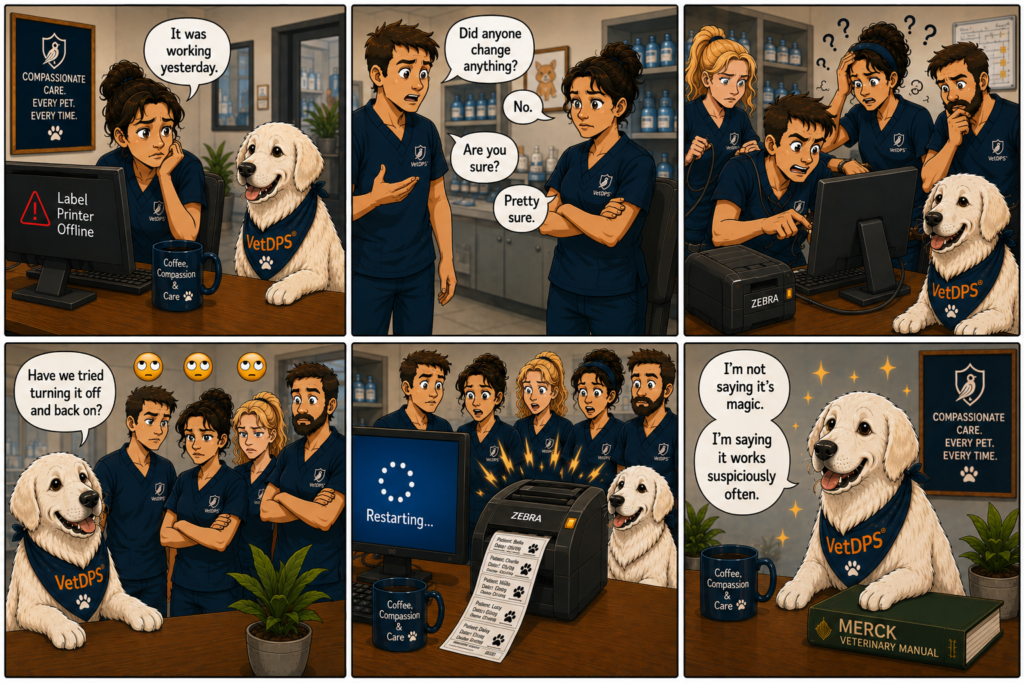
Let’s say a label printer stops responding at the front desk.
Nobody changed any settings.
Nobody unplugged anything.
The printer worked perfectly yesterday.
After twenty minutes of troubleshooting, someone restarts the workstation.
Suddenly the labels begin printing again.
What happened?
Often the answer is surprisingly simple. A background service responsible for managing print jobs became stuck. The reboot stopped the service, cleared the queue, restarted the process, and restored normal operation.
The Important Caveat
Rebooting is not a permanent fix for every problem.
If a workstation needs to be restarted every day, something else is probably wrong. If software repeatedly crashes, a reboot may restore service temporarily while the underlying issue continues to exist.
Think of restarting as housekeeping, not surgery.
It clears temporary clutter and resets systems to a known good state. It does not repair deeper problems that need attention.
Why IT Keeps Asking
The reason IT professionals ask people to reboot isn’t because we’re trying to avoid work.
It’s because a restart solves an astonishing number of everyday technology problems.
It is fast.
It is safe.
It costs nothing.
And it often provides valuable information about whether the issue is temporary or something more serious.
The next time someone asks whether you’ve restarted the computer, don’t take it personally.
They’re not questioning your intelligence.
They’re starting with the solution that works surprisingly often.
Technology should help your practice, not interrupt it. If you enjoyed this article, visit the Heimsys Knowledge Center for more practical IT and cybersecurity advice written specifically for veterinary practices. We’re adding new articles, guides, and comics regularly to help keep your team productive, secure, and focused on patient care.