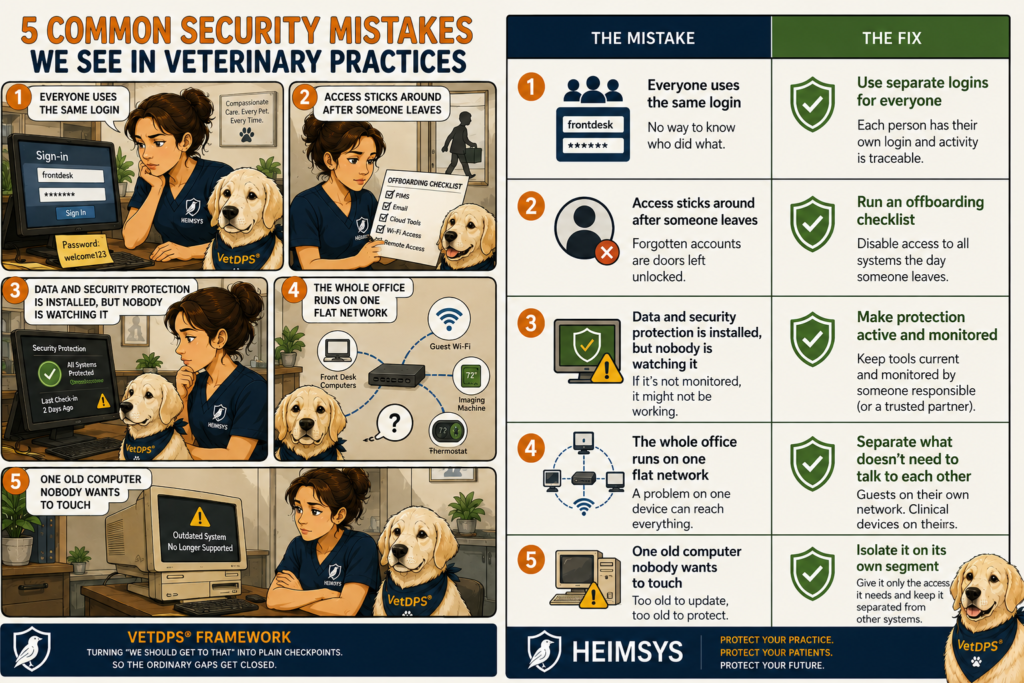
The Most Common Security Mistakes We See in Veterinary Practices
Most of the security problems we run into in veterinary practices did not start with a clever attacker. They started with something small that nobody had a reason to think about, until the day it mattered. After enough years working in clinics and in IT, you start to notice the same handful of gaps showing up again and again. None of them are exotic. All of them are fixable. Here are the ones we see most often.
Everyone uses the same login
Walk up to a lot of front desks and you will find several computers that everyone shares, logged into with one account, and a password that has not changed in a long time. It is convenient, and it feels harmless. The problem shows up later. When every action happens under the same login, there is no way to tell who did what. If a record gets changed, a refund gets issued, or a file gets sent to the wrong place, the history just shows “the front desk.”
The fix is not complicated: each person gets their own login. It is not about distrust. It is about being able to answer a simple question when you need to.
Access sticks around after someone leaves
Let’s face it. Churn in veterinary practices is real. People move on from clinics all the time. The accounts they used often do not move on with them. A former employee’s login to the PIMS, the email system, or a cloud tool can sit active for months because switching it off was nobody’s specific job. Every one of those forgotten accounts is a door left unlocked.
The fix is a short checklist that runs the day someone leaves: which systems did they have access to, and has each one been turned off. It takes a few minutes and closes a gap that tends to stay open far too long.
Data and security protection is installed, but nobody is watching it
A lot of practices have security tools in place. The trouble is that “in place” and “working” are not the same thing. Protection that was set up once and never checked is one quiet failure away from doing nothing at all: an expired subscription, an agent that stopped reporting, a new computer that was never added. Nobody notices until they need it and it is not there.
The fix is to make sure someone is actually responsible for watching it. In a fully managed IT arrangement, the protection is kept current and monitored rather than installed and forgotten. The point is not the tool. It is that someone is paying attention to it.
The whole office runs on one flat network
In many practices, everything connects to the same network: the front desk computers, the guest Wi-Fi in the lobby, the imaging machine in the back, the smart thermostat someone added last year. When everything shares one space, a problem on any single device can reach all the others. The client who joins your Wi-Fi to check email is, technically, on the same network as your clinical systems.
The fix is to separate the things that do not need to talk to each other. Guests on their own network. Clinical devices on theirs. It is ordinary setup work, and it keeps a small problem from becoming a building-wide one.
One old computer nobody wants to touch
Almost every practice has it: the aging computer running the imaging software or an old lab integration that “just works,” so no one dares update it. The reason it is risky is the same reason it survives. It is too old to update, which means it is also too old to protect, sitting on the same network as everything else.
The fix is usually not to rip it out. It is to wall it off, keeping it on its own isolated segment with only the access it truly needs, so its age stops being everyone’s problem.
The pattern worth noticing
None of these are dramatic. That is exactly why they last. They are the kind of thing that is easy to put off because nothing has gone wrong yet. A practical standard, like the VetDPS® framework (the Veterinary Data Protection Standard), exists to turn that “we should get to that” list into a set of plain checkpoints, so the ordinary gaps get closed on a normal Tuesday instead of after a bad one.
If you are not sure which of these apply to your practice, it may be time to ask your IT support to walk through everything with you.